
Overview
Ordinary gives every product a projected run-out date, based on how it has actually been selling, so you can reorder with time to spare. The inventory guide explains run rate, days left and each column.
What you get
Forecasts you can act on
A run-out date for every product
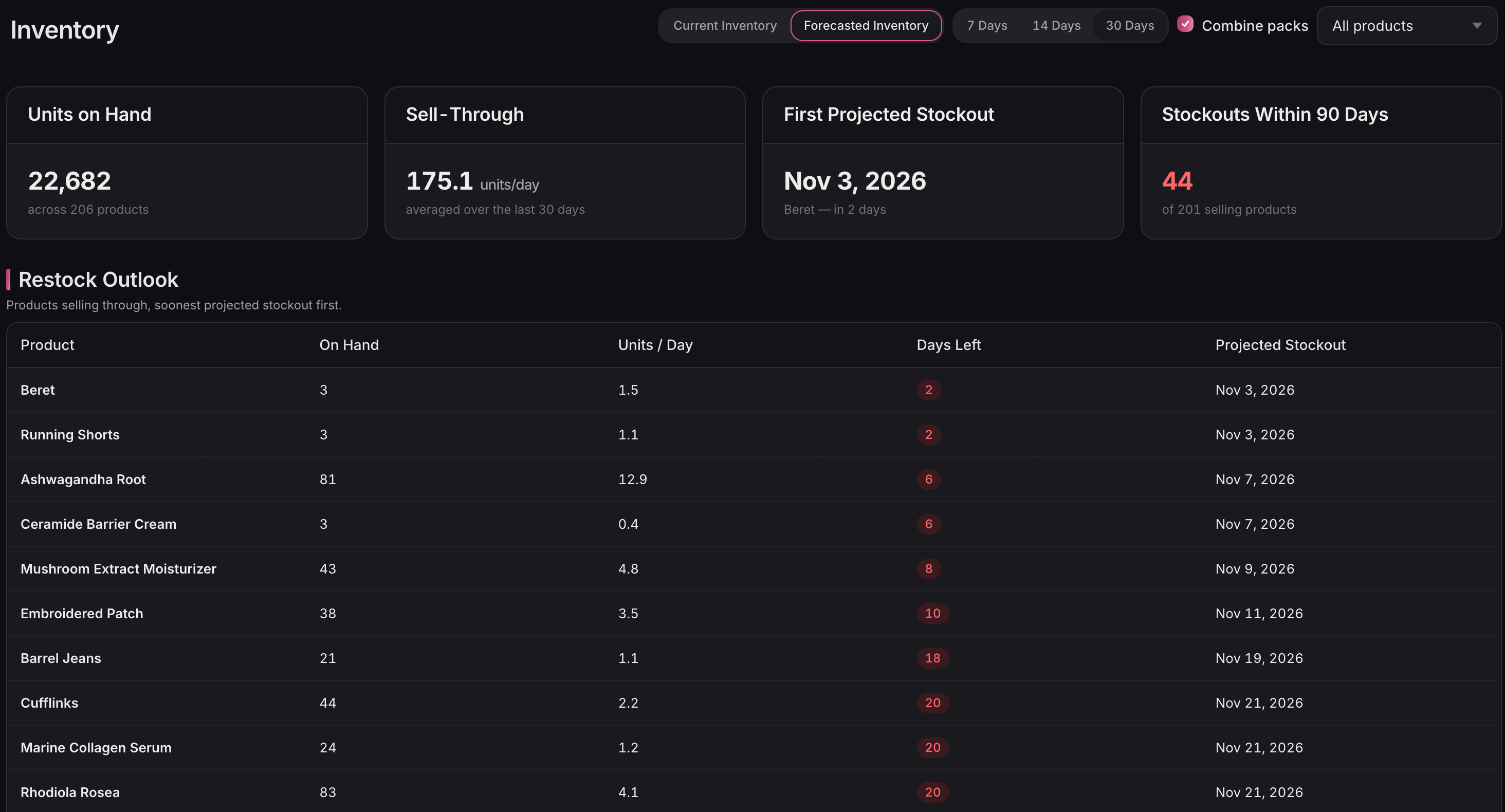
Each product shows its projected stockout as a calendar date, next to how many days of stock it has left.
Know what to reorder first
Restock Outlook lists your products soonest stockout first, so the ones about to go sit at the top.
Forecasts based on recent sales
Shopify inventory forecasting from your sell-through rate over the last 7, 14 or 30 days, so a recent spike or a slow stretch shapes the projection.
Multi-packs counted right
If your multi-packs draw from one base product, tick Combine packs to fold their sales into it, so its run-out date isn't too optimistic.
 Connect your store