
Overview
Marketing Mix puts every channel on one page, on the same basis: revenue, ad spend, ROAS and AOV side by side. You see where your money is working without flipping between dashboards.
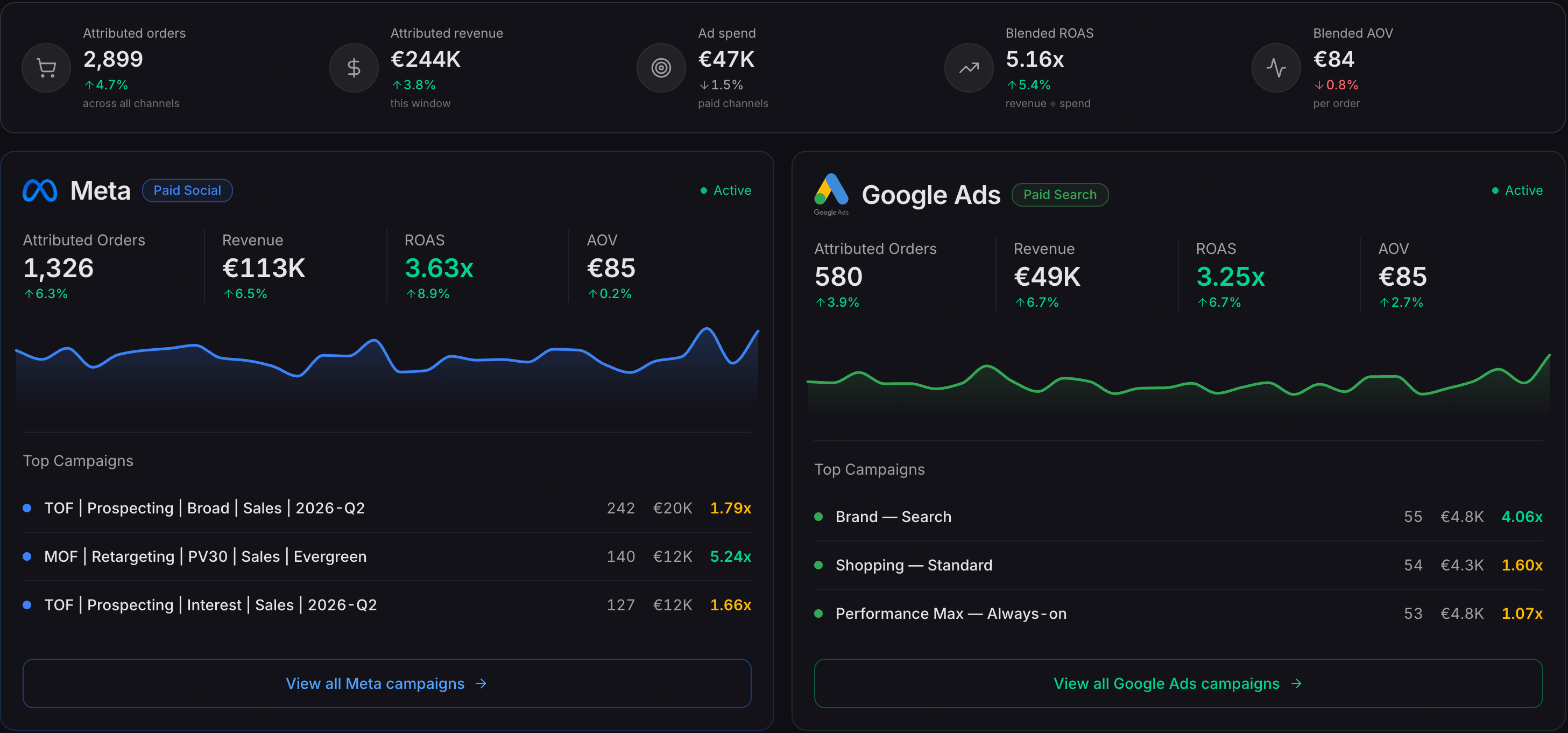
Marketing channel analysis
Every channel, compared fairly
Blended ROAS across every channel
The totals strip adds up attributed orders, revenue, ad spend, blended ROAS and blended AOV across all your channels for the dates you pick.
A card for each channel
Each channel gets its own card with orders, revenue, ROAS and AOV, a revenue trend, and its top campaigns, so the story sits beside the number.
Up or down against an earlier period
Turn on Compare in the date picker to see every number against the previous period, the previous year or a custom window.
Available now
On every Ordinary plan — and it gets richer as you connect more channels.
 Connect your store