
Overview
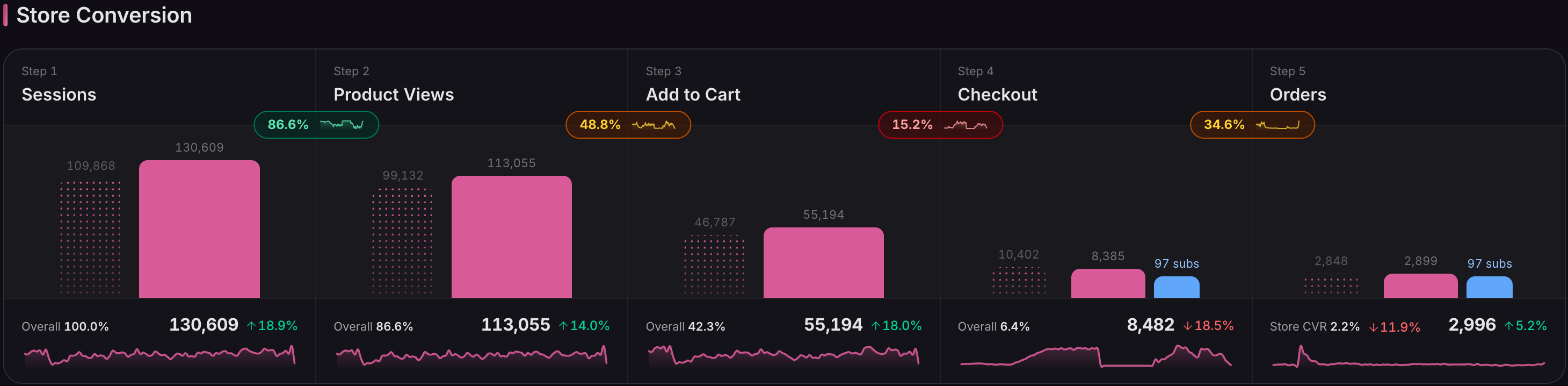
Ordinary's conversion funnel shows how your store converts first-time shoppers, with subscription reorders split out as their own bar. Fold them back in with one toggle whenever you want the whole picture.
What you see
From first visit to order
New orders and reorders, side by side
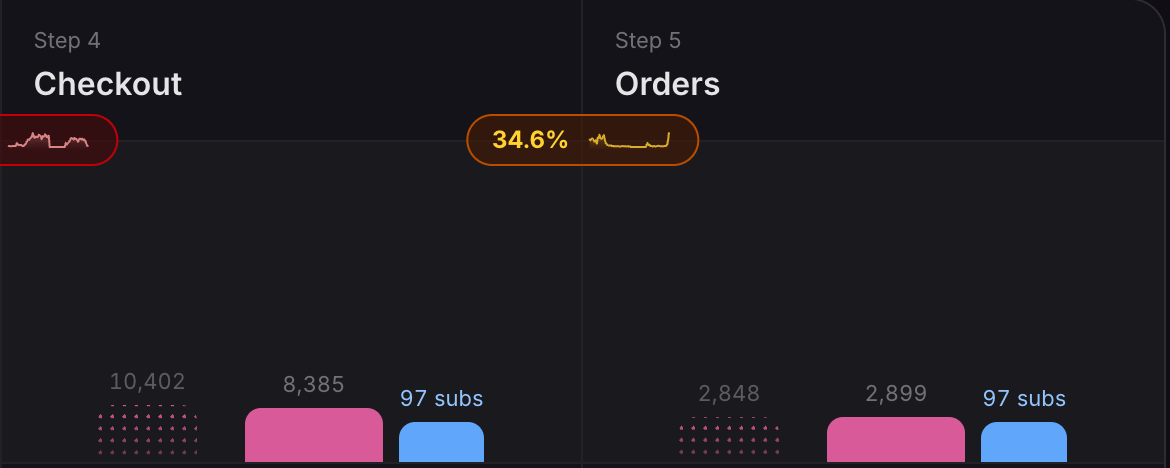
At Checkout and Orders, new orders and subscription reorders show as separate bars, so you see at a glance how much of your volume is recurring.
One toggle for the whole picture
The conversion rate counts new shoppers by default. Switch on Include subs in CVR to fold reorders in; your order counts and the subscription count stay on screen, and only the rates move.
Every step's trend, in one row
Each step-to-step rate carries its own trend line, so conversion funnel analysis starts with the stage that's slipping.
Available now
On your home dashboard, on every Ordinary plan. See which subscription apps are recognised.
 Connect your store