
Overview
Watch real visits to your Shopify store, from landing page to the start of checkout, with the products each shopper viewed and the order they placed beside the video. A drop-off number becomes something you can see and fix.
What you get
Every visit, and what they add up to
Watch a real visit
Each recording plays like a video: the pages, cursor, clicks and scrolling. A timeline beside it lists every interaction, so you jump straight to the moment that matters.
The shopping story, alongside the video
Beside the replay: products viewed, added to cart and removed, what the shopper searched for, and the order a converted session produced. Open any order and you can watch the visits behind the sale.
See how far checkout got
The video ends where Shopify's checkout begins, and the timeline shows which checkout steps the shopper reached. You learn where checkout abandonment happened, not just that it did.
Spot rage clicks and dead clicks
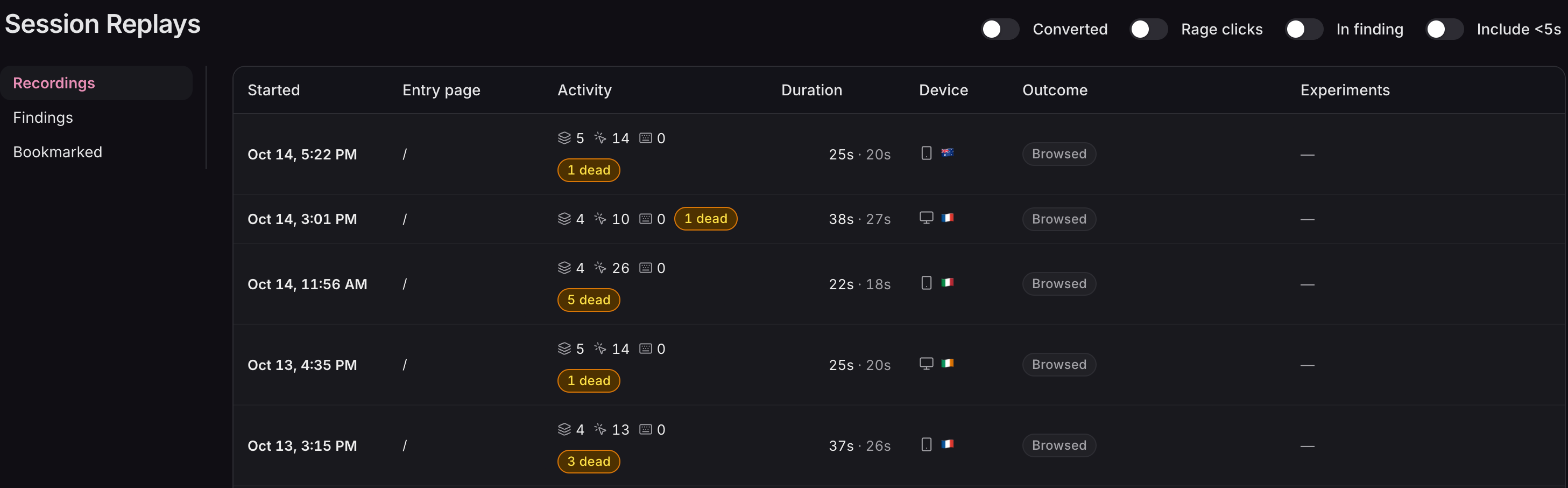
Every session flags dead clicks and rage clicks, rolled up by page and element. The button that keeps frustrating shoppers stands out.
Findings across all your sessions
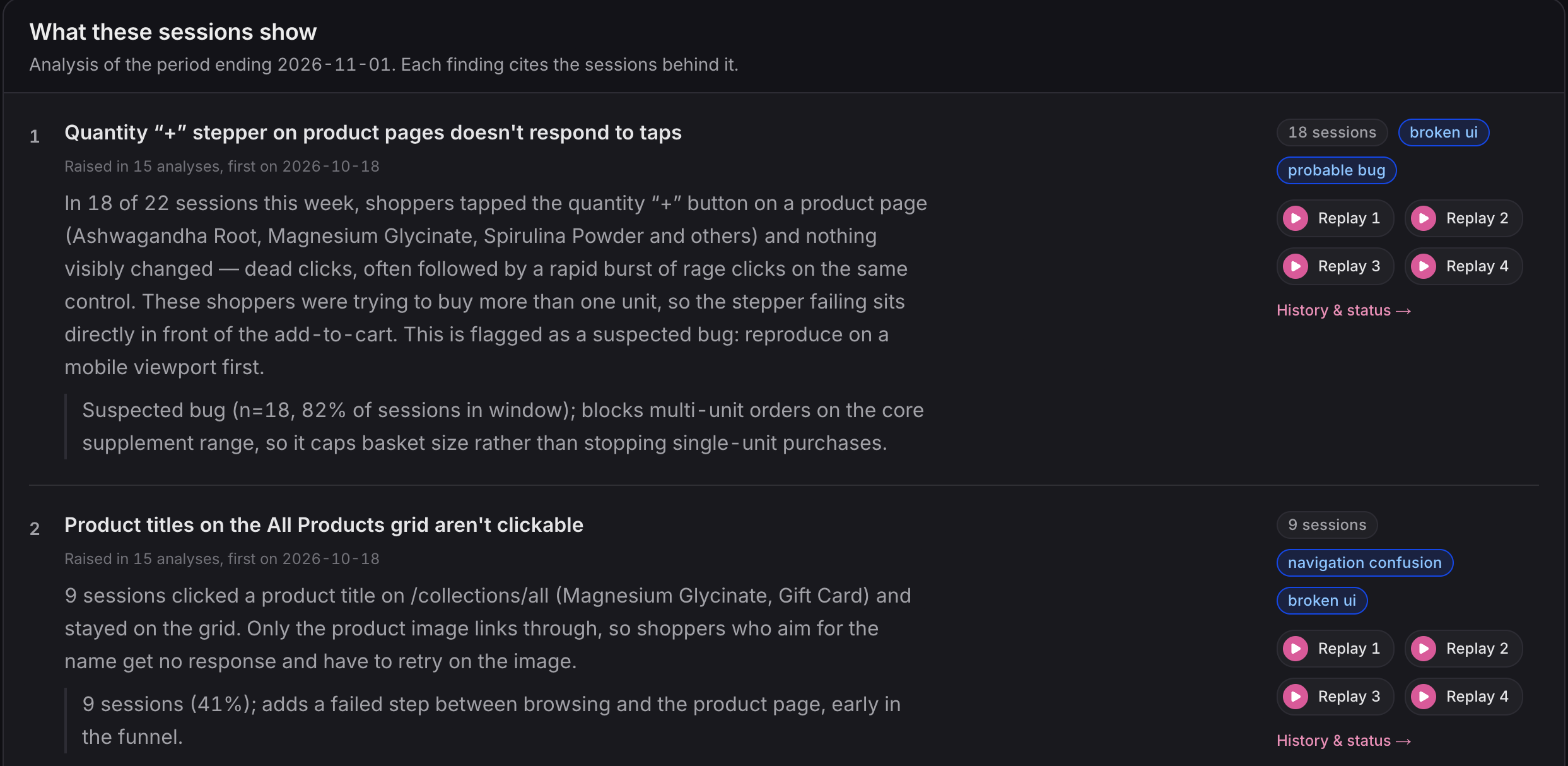
Findings write up the friction that keeps recurring, with the number of sessions behind each one and example recordings you can watch.
Bookmark the sessions worth keeping
Star a session and leave a note saying why it matters. Bookmarks are shared with your team under Session Replays → Bookmarked.
Day to day
Easy to search, careful with data
Find the right sessions fast
Filter the recordings list down to converted sessions, sessions with rage clicks, or the sessions a finding is based on. Each recording also shows which A/B test variant the visitor saw.
Private by default
Anything a shopper types into a form field is masked in their own browser before it leaves. Replays show that typing happened, never what was typed.
Kept as long as it's useful
Replay video is kept for 30 days. Bookmarked sessions are kept until you remove the bookmark, and session statistics are kept for 90 days so trends stay comparable.
Available now
Session Replays is part of the Advanced plan. On Advanced, recording starts automatically once Ordinary's app embed is enabled in your theme, and you can switch it off any time in Settings. The session replays guide covers recording settings, Findings and bookmarks.
 Connect your store