
Overview
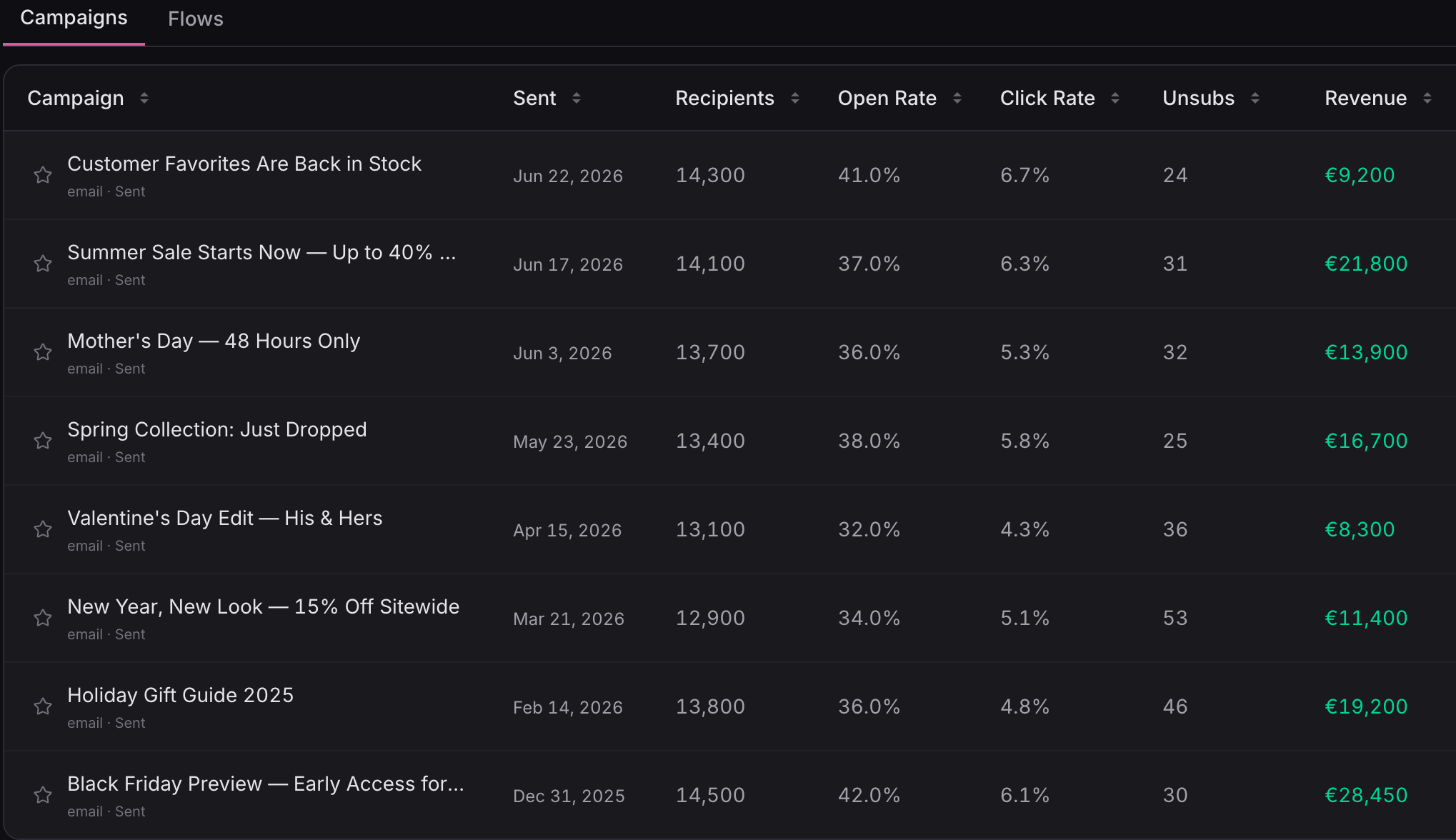
Your Klaviyo campaigns and flows report in Ordinary next to your store orders, so email and SMS sit alongside your paid channels. Revenue, opens, clicks and unsubscribes, send by send.
What you get
Klaviyo reporting, campaign by campaign
A page for every campaign and flow
Each one opens on revenue and orders, then recipients, open rate, click rate and unsubscribes, so the money question comes first.
Read the guide: reading your Klaviyo campaign and flow reports
Find your workhorse flows
Sort your flows by revenue, recipients, open rate or click rate to spot the automations doing the heavy lifting, and the ones going nowhere.
Watch each send play out
Hour-by-hour and day-by-day charts show when opens, clicks and revenue came in after a send.
Email next to Meta and Google
Email and SMS sit beside your paid channels on Marketing Mix, with a year of history when you connect and an hourly refresh.
 Connect your store