
Overview
See where your Performance Max budget really goes: new demand vs. brand searches, which channels spend it, and which products make a profit. This Performance Max reporting is tied to your store's revenue and costs.
What you see
Five views of your Performance Max campaigns
New demand vs. brand searches
See how much of each campaign's results came from brand searches and how much from new demand. Tell growth apart from customers you already had.
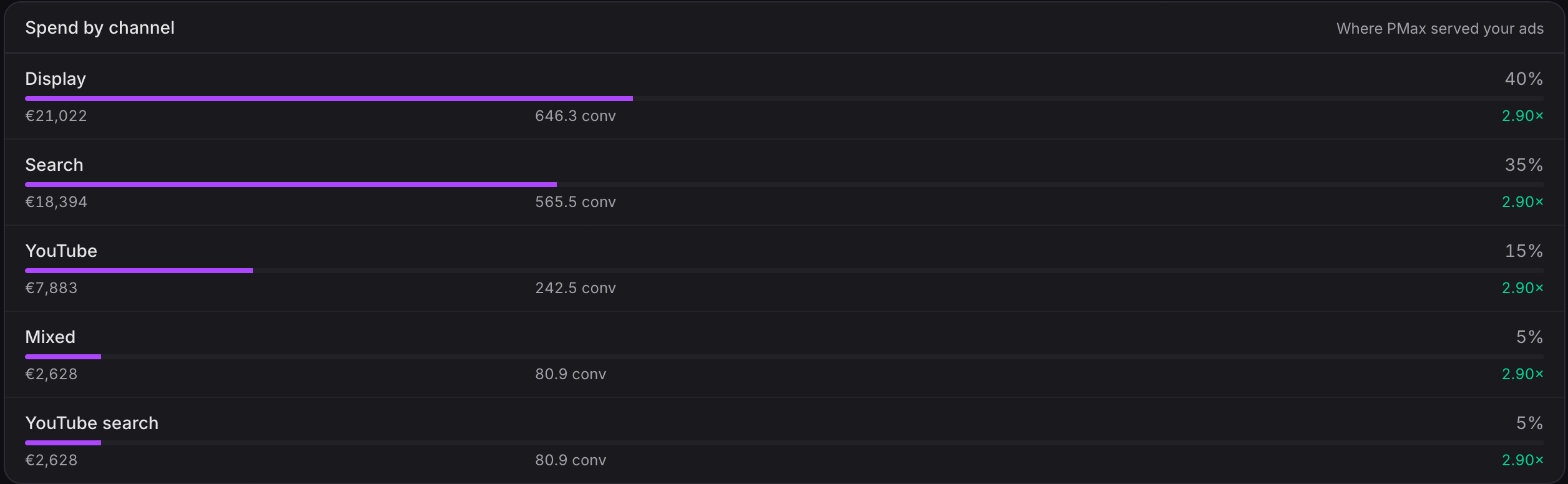
Where the budget goes
See how each campaign's spend splits across Search, Shopping, YouTube, Display and Gmail. A Shopping benchmark shows when budget drifts toward lower-intent placements.
Products, best to worst
Every product is grouped from top earners down to the ones that never convert. See at a glance when a few products carry most of the results.
Profit per product, from your real costs
Add cost per item in Shopify and see estimated profit and profit on ad spend for each product. A product with a strong ROAS can still lose money after costs.
Every campaign side by side
Compare every Performance Max campaign's channel mix and demand split together, so the one leaking budget stands out.
Available now
The Performance Max view is live on the Starter plan and above for every merchant with Google Ads connected.
Hat-tip to Mike Rhodes and the 8020 team, whose PMax frameworks shaped this view — and to Alex McAfee at Fast and Light, who suggested we build it.
 Connect your store