
Overview
Ordinary starts from the cost per item you already keep in Shopify, your Shopify COGS, and shows how much of your revenue is covered. Fill the few gaps that matter and see real profit on every product.
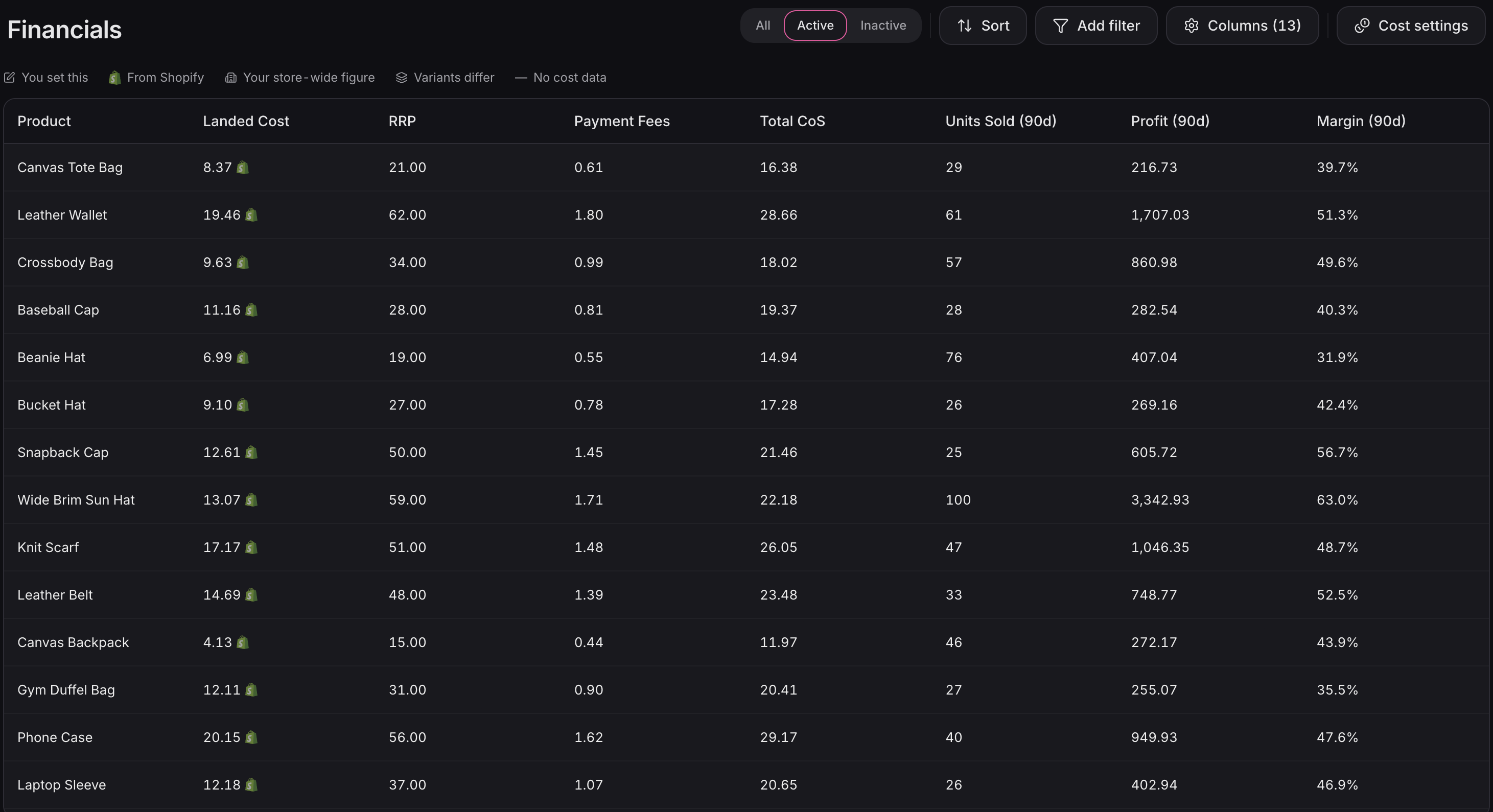
Fill the gaps your way
Fix only the gaps
The guide to product costs walks through each way of getting your costs in.
Click any cost to correct it
Click a cost that's out of date, or missing, and type the right one.
A spreadsheet that's already filled in
Download a spreadsheet pre-filled with every cost we already know, fix the rows that are wrong or missing, and upload it back.
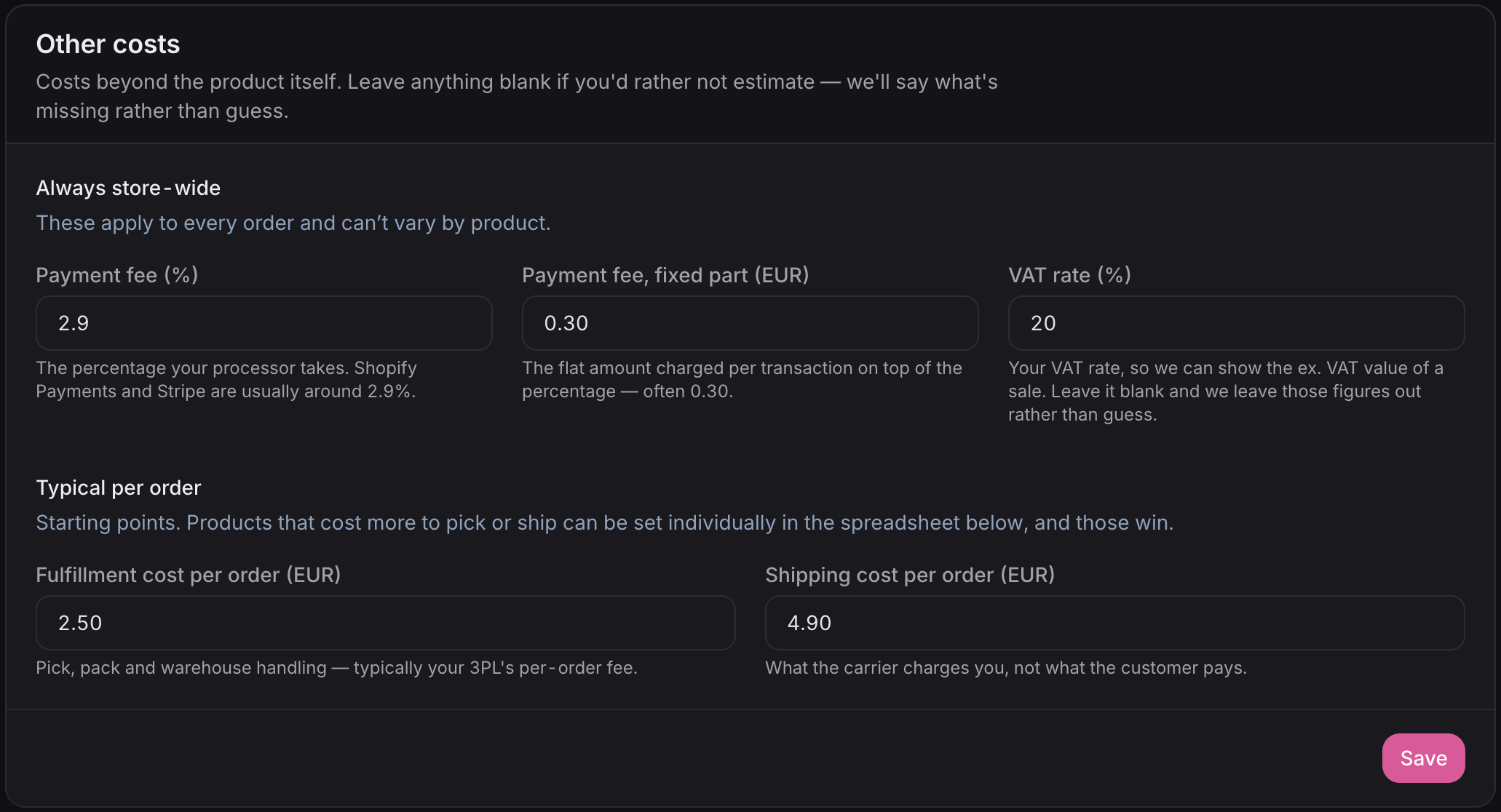
Store-wide defaults
Set fulfillment, shipping or a cost once as a store-wide default. It applies to every product without its own figure, so you only enter the exceptions.
Your costs stay yours
Costs you set yourself stay put when Shopify's change, and you can see where your figure and Shopify's differ.
Per-variant costs
When a product's sizes or flavors cost different amounts to make, give each variant its own cost.
Fully loaded margin
What your profit includes
Payment fees
A percentage plus a flat fee per order, the way your payment provider charges them.
Sales tax
If your prices include tax, add the rate and margins are worked out on what you actually keep.
Numbers you can trust
Missing is never zero
A product with no cost shows as missing, so a gap in your data never passes for a perfect margin.
The past stays put
Past orders keep the cost you had when you sold them. A supplier price change doesn't rewrite last quarter's profit.
Those same costs power profit and margin reporting across Ordinary, and the Offer Calculator uses them to show whether a promotion pays off before you run it. Your A/B test results use them too, to show the profit each version earned.
Available now
Adding product costs is free on every Ordinary plan. Profit per product in Financials and the Offer Calculator are on the Advanced plan.
 Connect your store