
Overview
Every Google Ads campaign, from Search and Shopping to Performance Max, reports in Ordinary next to your Meta spend and your Shopify orders. Google Ads reporting, in the same place as everything else.
What you get
From your home page to a single campaign
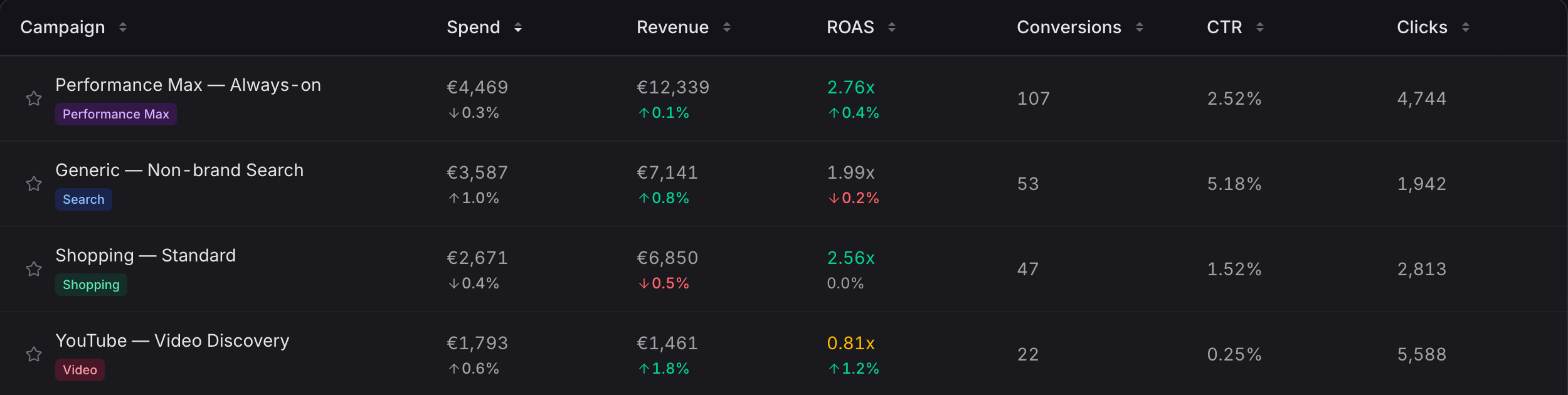
Every campaign type, at a glance
Search, Shopping, Performance Max, Display, Video and Demand Gen campaigns each carry a badge, with spend, revenue, ROAS and conversions on every row.
Google Ads on your home page
Brand Pulse shows your Google Ads Spend, Clicks, Conversions, Revenue, ROAS and Cost per Result, plus a campaign table, without opening Google Ads.
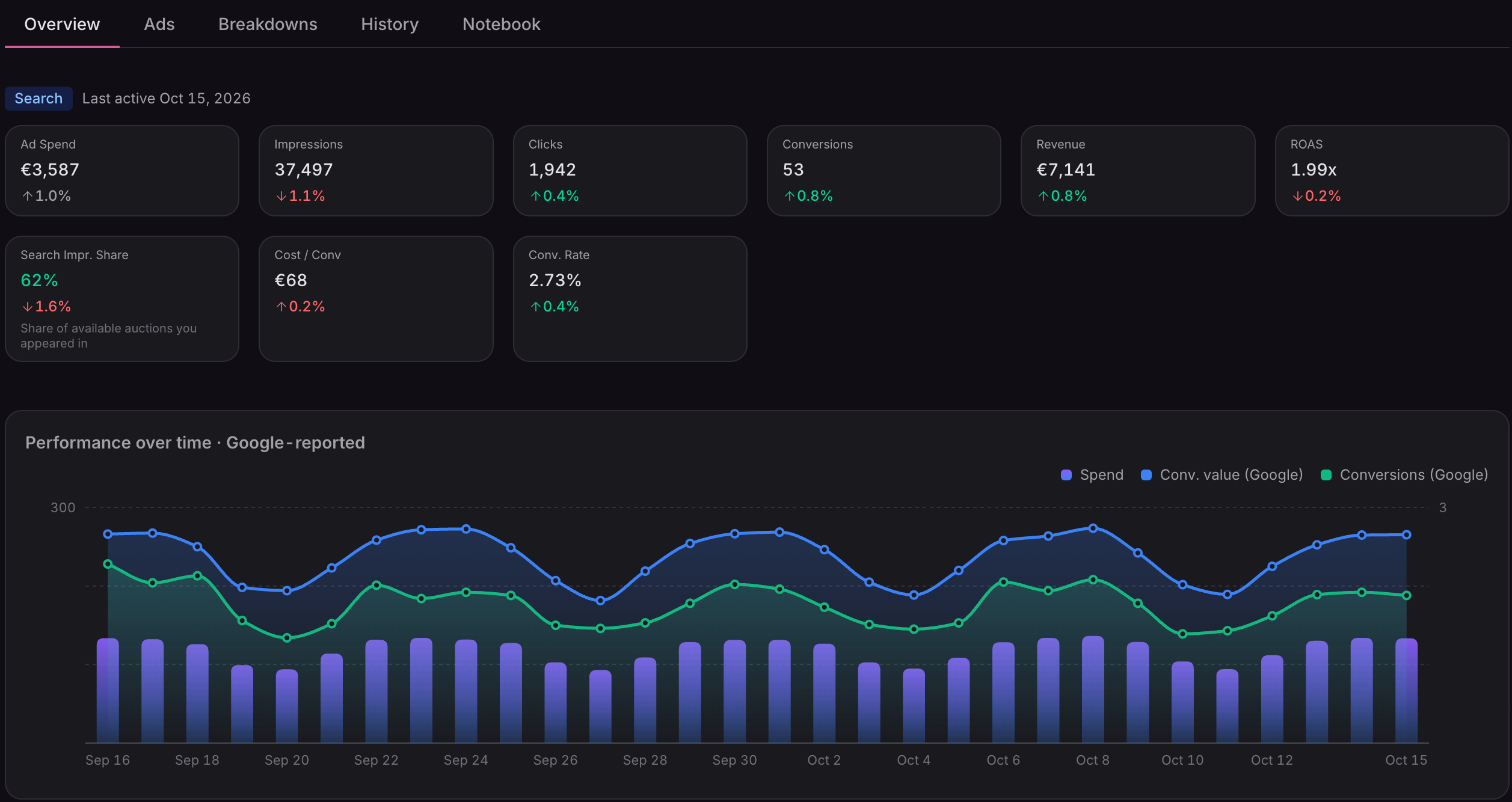
Drill into any campaign
Open a campaign to see its performance over time, then break it down by network, device and geography, with creative thumbnails for visual campaigns.
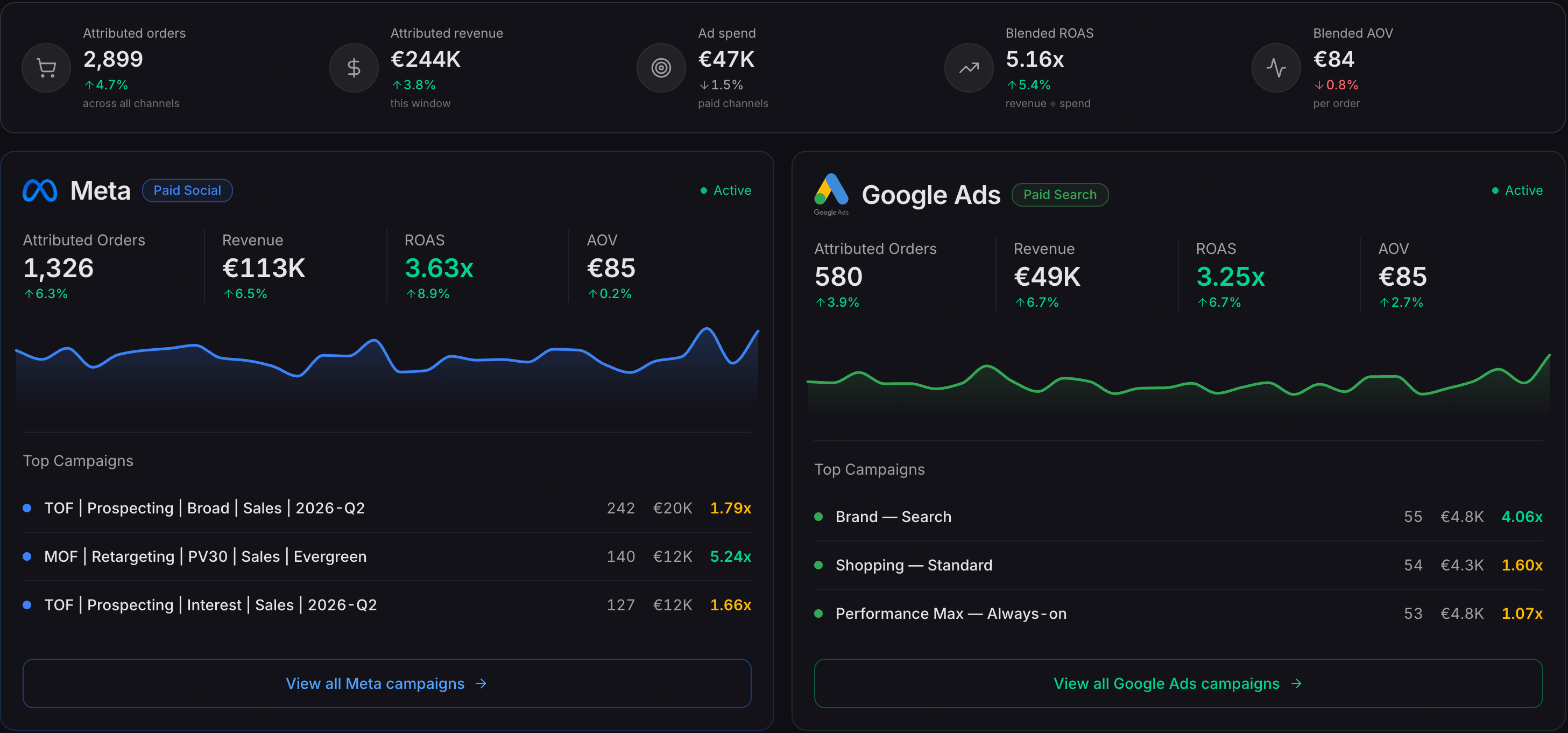
Google Ads vs Meta ads, side by side
Marketing Mix puts Google Ads and Meta next to each other, with orders, revenue, ROAS and AOV for each and their top campaigns.
Available now
Available on the Starter plan and above. Connect your Google Ads account once and your campaigns start reporting.
 Connect your store