
Follow your Google spend to the store.
See campaign performance alongside the Shopify orders you can attribute. Compare Search, Shopping, Video and Performance Max with a clearer view of what each number means.
Google Ads reporting is available on Starter and higher.
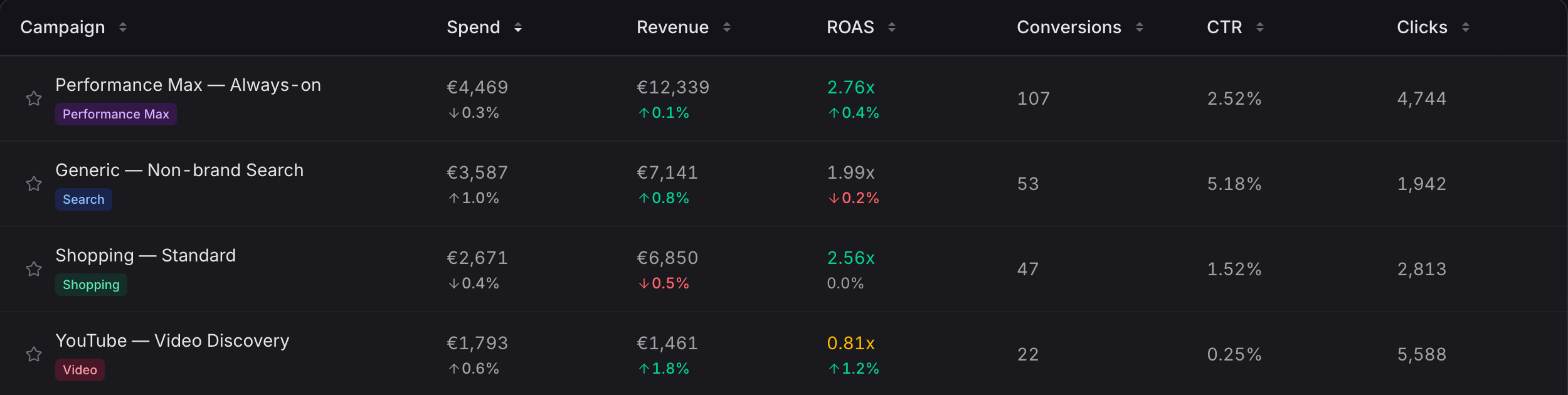
Compare Google campaigns over the same period, then open the one you want to understand.
Full view01 / Store outcomes
Know which question
the number answers.
Google's reporting and your storefront attribution see different parts of a journey. Ordinary keeps those perspectives available, so you can compare them without treating them as interchangeable.
- Click-through
The orders your store can attribute
Use observed storefront visits and available campaign identifiers to connect Shopify orders to Google campaigns under your selected model.
- View-through
The result Google reports
See Google's purchase conversions and conversion value, including the broader measurement Google can make within its own reporting system.
Headline conversions count purchases. Other actions, such as page views and add-to-cart events, remain visible in the campaign's conversion-action breakdown.
02 / Campaign detail
Find the movement.
Get the context.
Open a campaign to put its scorecard and trend together. Then explore ad groups, creative, network, device and geography, or check what changed in its settings.
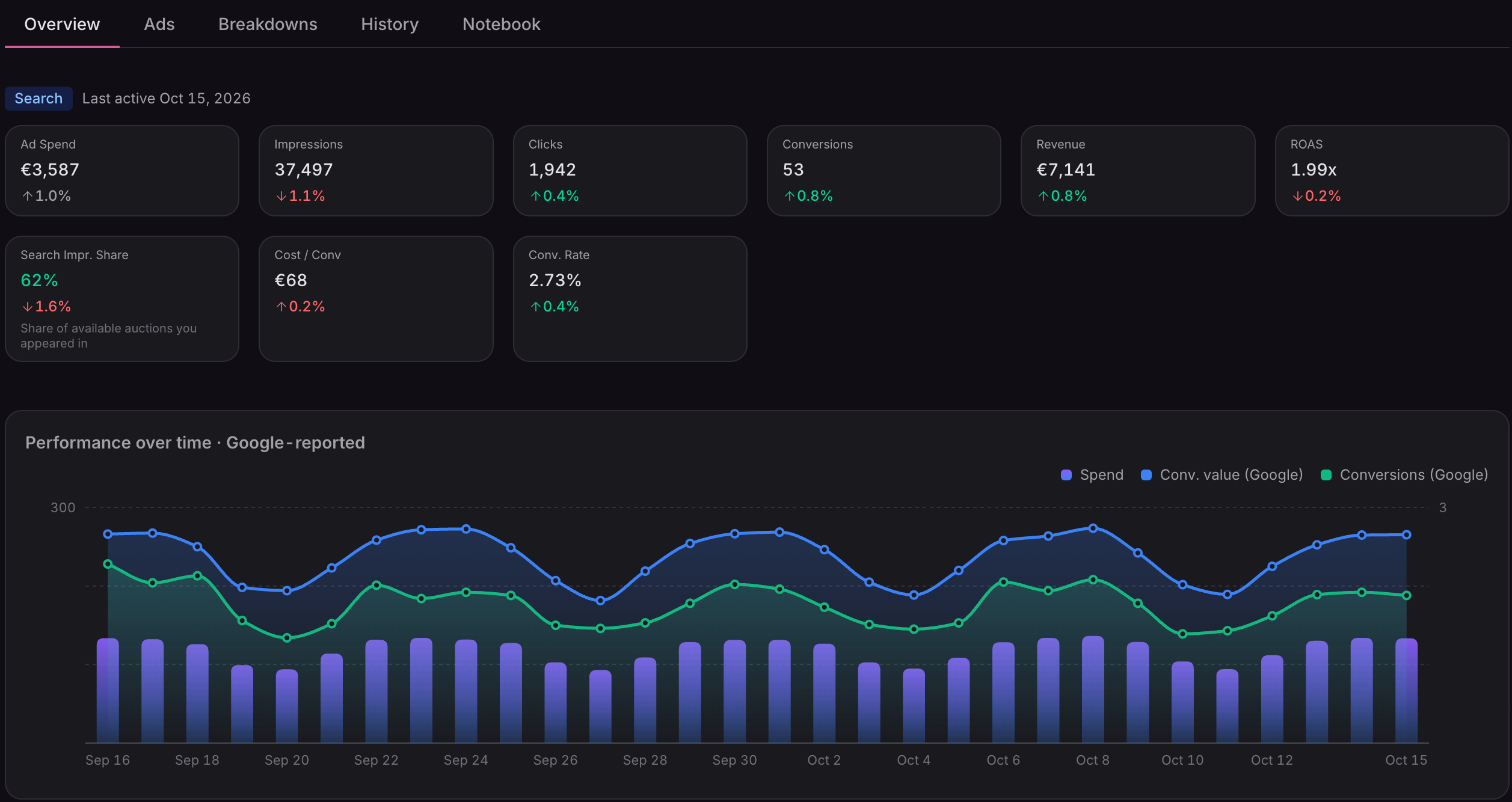
This Overview shows Google-reported performance. Report labels keep the source of each view clear.
Full viewSwipe or scroll to explore. Use arrow keys when focused.
Search and Shopping
Move into ad groups and ads, with additional campaign metrics where Google provides them.
Performance Max
Explore channel mix, search demand, asset groups, products and placements in a dedicated Performance Max analysis view.
A history of changes
Line up recorded budget, status and bidding changes with the performance trend.
03 / Your wider mix
Google is part
of the journey.
A customer may arrive through Google and return through another channel. Marketing Mix puts Google alongside Meta, email and other sources, with the same model applied across the report.
Explore multi-touch attributionFirst-touch, last-touch, linear and time decay give you four ways to understand the clicks before an order.
The models change how store-attributed credit is shared. They do not change Google's own delivery metrics, or establish whether an ad caused an incremental sale.
What do I need to connect?
A Shopify store on Ordinary's Starter plan or higher and access to your Google Ads account. Choose the ad account to report on, including accounts available through a manager account.
How much history is imported?
The initial Google Ads sync covers the last 365 days of available reporting. Storefront attribution depends on the visits and order information Ordinary has observed. Settings → Sync Status shows progress.
How can I improve campaign matching?
Keep Google's auto-tagging enabled and add utm_id={campaignid} to the account's Final URL suffix. It gives Ordinary a campaign identifier alongside your readable campaign tags.
Can I edit campaigns in Ordinary?
The Google Ads integration is for reporting. Make changes to campaigns, budgets and bids in Google Ads.
Make the next budget decision with more context.
Connect Google Ads and bring your campaign performance into the same workspace as your store.
Connect your store